Tips & Tricks
Booked a Wizz Air Flight? Smart Travel Tips Before You Fly
Wizz Air is a popular choice for travelers looking for affordable flights across Europe and beyond. From quick city breaks to family visits, business trips, summer holidays, and weekend adventures, Wizz Air connects many destinations at budget-friendly prices.
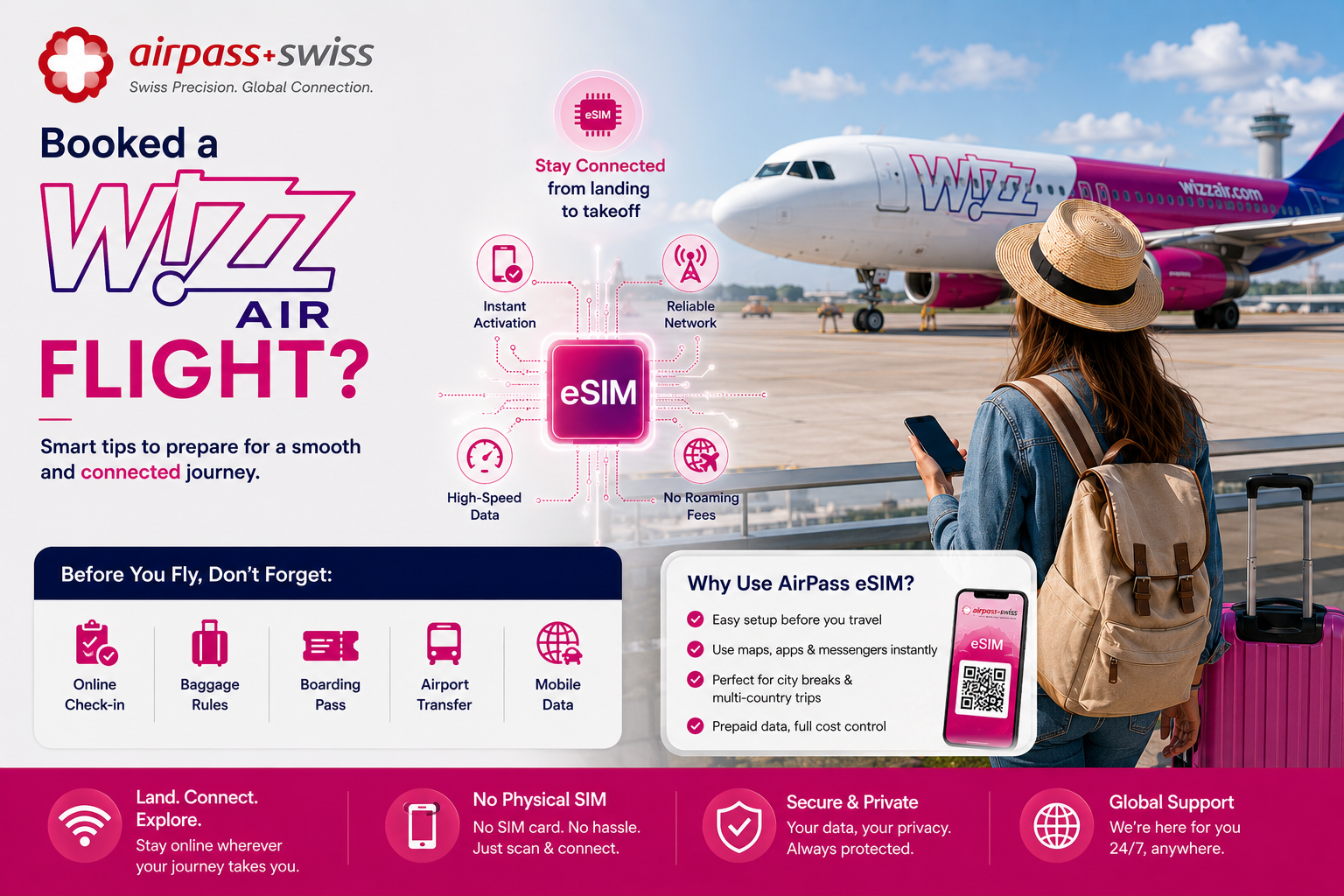
But after booking your flight, the real travel preparation begins.
Low-cost travel works best when you are organized. Small details like baggage size, online check-in, airport arrival time, transport planning, and mobile internet can make a big difference in your travel experience.
This guide is not written in partnership with Wizz Air. It is simply a practical travel checklist with useful tips for passengers who have booked a Wizz Air flight or are planning to travel soon.
If you are planning your next trip, you can check Wizz Air flights here: https://www.wizzair.com/en-gb.
## 1. Review Your Wizz Air Booking Before You Travel
After booking your Wizz Air flight, take a few minutes to review your confirmation email or app booking.
Check your:
✅Passenger name
✅Travel dates✅Departure and arrival airports
✅Flight time
✅Baggage option
✅Seat selection
✅Additional services
This is especially important if you are flying to large cities with multiple airports or to destinations where the airport may be outside the city center.
A quick check after booking can help you avoid confusion later.
## 2. Understand Your Baggage Before Packing
One of the most important parts of low-cost travel is baggage planning.
✅ Before you pack, check what is included in your Wizz Air ticket. Depending on your booking, you may only have a small cabin bag included, while larger cabin baggage or checked luggage may require an additional option.
✅ Before leaving home, check the size and weight limits for your bag. This can help you avoid extra airport fees and make the boarding process smoother.
A good rule is simple: pack based on your ticket, not based on what usually works with other airlines.
## 3. Complete Online Check-In Early Online check-in is an important part of traveling with Wizz Air. ✅ Complete your check-in before going to the airport and save your boarding pass on your phone. It is also smart to take a screenshot of your boarding pass and keep a copy in your email or digital wallet. This gives you backup access if your internet connection becomes weak or if the airport Wi-Fi is not working properly.
4. Check Your Departure Airport and Terminal Before your travel day, confirm your departure airport and terminal. ✅Some low-cost routes operate from airports that are farther from the city center. This can affect how early you need to leave, how much transport will cost, and which bus, train, taxi, or shuttle you should take. Do not wait until the last moment to check this. Airport transport can be one of the most stressful parts of a trip if it is not planned early.
## 5. Prepare Mobile Internet Before Landing When you arrive in a new country, you often need internet immediately. You may need to: ✅Open maps ✅Contact your hotel or apartment host ✅Order a taxi ✅Check public transport ✅Message family or friends ✅Access booking confirmations ✅Use translation apps ✅Find your next connection ✅Airport Wi-Fi can be helpful, but it is not always reliable. Some networks are slow, limited, or require registration before you can connect. That is why preparing your mobile data before departure is a smart travel step.
## 6. Why AirPass eSIM Can Be Useful for Wizz Air Travelers Many Wizz Air travelers fly between European cities, holiday destinations, and regional airports. For these trips, having mobile data ready before arrival can make the journey much easier. AirPass eSIM is a digital mobile data plan that you can install on a compatible phone without using a physical SIM card. With AirPass eSIM, travelers can: ✅Install mobile data before departure ✅Avoid searching for local SIM cards after landing ✅Use maps and transport apps immediately ✅Stay connected across supported destinations ✅Choose prepaid data before traveling ✅Avoid depending only on roaming or airport Wi-Fi ✅For travelers visiting more than one country, a regional Europe eSIM plan can also be useful because it may cover multiple supported destinations under one plan.
## 7. Install Your eSIM While You Still Have Wi-Fi The best time to install your AirPass eSIM is before your trip, while you have a stable Wi-Fi connection. ✅You can install it at home, at work, at your hotel, or before leaving for the airport. After purchasing your eSIM, you usually receive installation instructions through a QR code or activation details. ✅Before buying, always check that your phone supports eSIM and that your device is unlocked. Installing your eSIM before travel helps you avoid the problem of landing in a new country without mobile data.
## 8. Save Travel Documents Offline Even when you prepare everything properly, it is always smart to keep offline backups. Before your Wizz Air flight, save: ✅Boarding pass ✅Booking confirmation ✅Hotel or apartment address ✅Airport transfer details ✅Travel insurance ✅Emergency contacts ✅Passport or ID copy, if needed ✅Local transport information This is especially useful if your phone battery is low, your internet is not active yet, or you need to show a document quickly.
## 9. Plan Your First Hour After Arrival A good travel experience starts with the first hour after landing. ✅Before departure, decide how you will get from the airport to your accommodation. Check whether the best option is a bus, train, shuttle, taxi, ride app, or private transfer. ✅If your arrival is late at night, this becomes even more important. Some public transport options may not operate all night, and taxi prices may vary. With mobile data ready through AirPass eSIM, you can check routes, compare transport options, and contact your accommodation as soon as you arrive.
## 10. Final Checklist Before Your Wizz Air Flight Before going to the airport, make sure you have: ✅Checked your booking details ✅Completed online check-in ✅Saved your boarding pass offline ✅Confirmed your baggage allowance ✅Checked your airport and terminal ✅Planned transport to and from the airport ✅Charged your phone and power bank ✅Saved important documents ✅Installed your AirPass eSIM ✅Checked passport or ID validity This simple checklist can help you avoid unnecessary stress and travel more confidently.
## Final Thoughts Booking a Wizz Air flight is a great first step toward an affordable trip. But the best travel experience comes from preparing the details before departure. ✅Check your baggage, complete your online check-in, save your documents, plan your airport transfer, and make sure your mobile internet is ready before you land. ✅AirPass eSIM is a practical option for travelers who want mobile data abroad without physical SIM cards, last-minute airport Wi-Fi problems, or complicated setup.
Before your next trip, remember: **✅ Flight booked. **✅ **Bag checked. **✅ **Boarding pass saved. **✅** AirPass eSIM ready.** Travel smarter, stay connected, and enjoy your journey.
## 3. Complete Online Check-In Early Online check-in is an important part of traveling with Wizz Air. ✅ Complete your check-in before going to the airport and save your boarding pass on your phone. It is also smart to take a screenshot of your boarding pass and keep a copy in your email or digital wallet. This gives you backup access if your internet connection becomes weak or if the airport Wi-Fi is not working properly.
4. Check Your Departure Airport and Terminal Before your travel day, confirm your departure airport and terminal. ✅Some low-cost routes operate from airports that are farther from the city center. This can affect how early you need to leave, how much transport will cost, and which bus, train, taxi, or shuttle you should take. Do not wait until the last moment to check this. Airport transport can be one of the most stressful parts of a trip if it is not planned early.
## 5. Prepare Mobile Internet Before Landing When you arrive in a new country, you often need internet immediately. You may need to: ✅Open maps ✅Contact your hotel or apartment host ✅Order a taxi ✅Check public transport ✅Message family or friends ✅Access booking confirmations ✅Use translation apps ✅Find your next connection ✅Airport Wi-Fi can be helpful, but it is not always reliable. Some networks are slow, limited, or require registration before you can connect. That is why preparing your mobile data before departure is a smart travel step.
## 6. Why AirPass eSIM Can Be Useful for Wizz Air Travelers Many Wizz Air travelers fly between European cities, holiday destinations, and regional airports. For these trips, having mobile data ready before arrival can make the journey much easier. AirPass eSIM is a digital mobile data plan that you can install on a compatible phone without using a physical SIM card. With AirPass eSIM, travelers can: ✅Install mobile data before departure ✅Avoid searching for local SIM cards after landing ✅Use maps and transport apps immediately ✅Stay connected across supported destinations ✅Choose prepaid data before traveling ✅Avoid depending only on roaming or airport Wi-Fi ✅For travelers visiting more than one country, a regional Europe eSIM plan can also be useful because it may cover multiple supported destinations under one plan.
## 7. Install Your eSIM While You Still Have Wi-Fi The best time to install your AirPass eSIM is before your trip, while you have a stable Wi-Fi connection. ✅You can install it at home, at work, at your hotel, or before leaving for the airport. After purchasing your eSIM, you usually receive installation instructions through a QR code or activation details. ✅Before buying, always check that your phone supports eSIM and that your device is unlocked. Installing your eSIM before travel helps you avoid the problem of landing in a new country without mobile data.
## 8. Save Travel Documents Offline Even when you prepare everything properly, it is always smart to keep offline backups. Before your Wizz Air flight, save: ✅Boarding pass ✅Booking confirmation ✅Hotel or apartment address ✅Airport transfer details ✅Travel insurance ✅Emergency contacts ✅Passport or ID copy, if needed ✅Local transport information This is especially useful if your phone battery is low, your internet is not active yet, or you need to show a document quickly.
## 9. Plan Your First Hour After Arrival A good travel experience starts with the first hour after landing. ✅Before departure, decide how you will get from the airport to your accommodation. Check whether the best option is a bus, train, shuttle, taxi, ride app, or private transfer. ✅If your arrival is late at night, this becomes even more important. Some public transport options may not operate all night, and taxi prices may vary. With mobile data ready through AirPass eSIM, you can check routes, compare transport options, and contact your accommodation as soon as you arrive.
## 10. Final Checklist Before Your Wizz Air Flight Before going to the airport, make sure you have: ✅Checked your booking details ✅Completed online check-in ✅Saved your boarding pass offline ✅Confirmed your baggage allowance ✅Checked your airport and terminal ✅Planned transport to and from the airport ✅Charged your phone and power bank ✅Saved important documents ✅Installed your AirPass eSIM ✅Checked passport or ID validity This simple checklist can help you avoid unnecessary stress and travel more confidently.
## Final Thoughts Booking a Wizz Air flight is a great first step toward an affordable trip. But the best travel experience comes from preparing the details before departure. ✅Check your baggage, complete your online check-in, save your documents, plan your airport transfer, and make sure your mobile internet is ready before you land. ✅AirPass eSIM is a practical option for travelers who want mobile data abroad without physical SIM cards, last-minute airport Wi-Fi problems, or complicated setup.
Before your next trip, remember: **✅ Flight booked. **✅ **Bag checked. **✅ **Boarding pass saved. **✅** AirPass eSIM ready.** Travel smarter, stay connected, and enjoy your journey.